You decide once.Dheet holds you to it.

Set the rules for your phone. Dheet enforces them when willpower runs out.

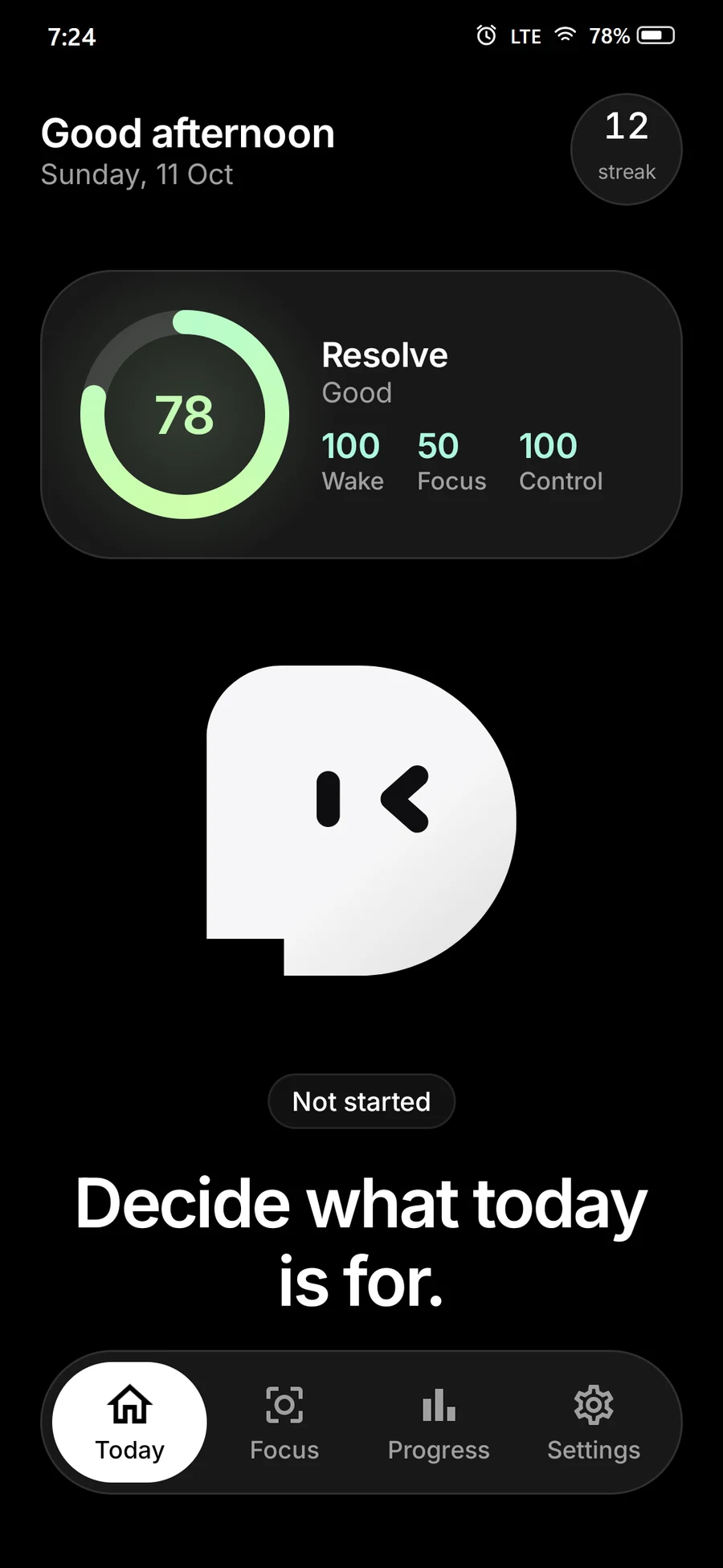
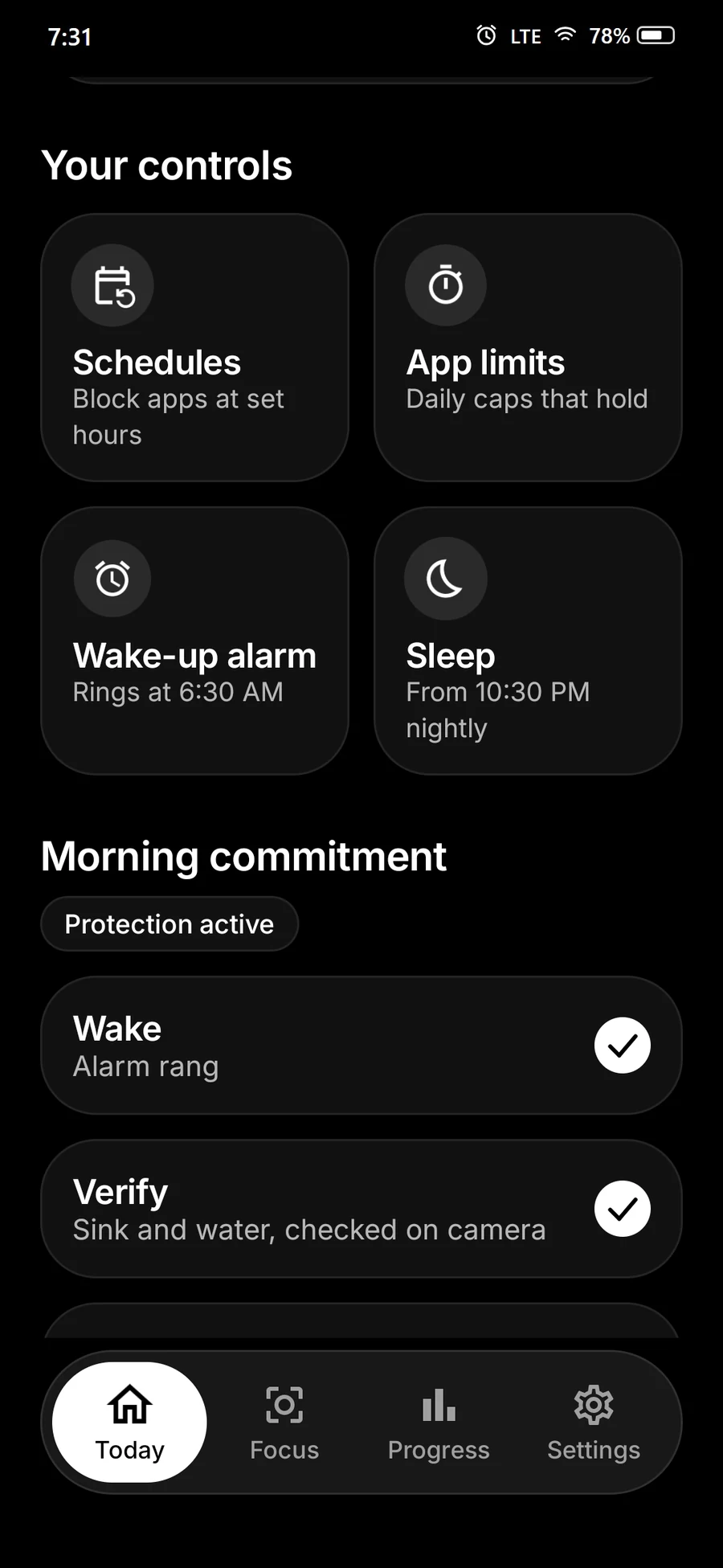
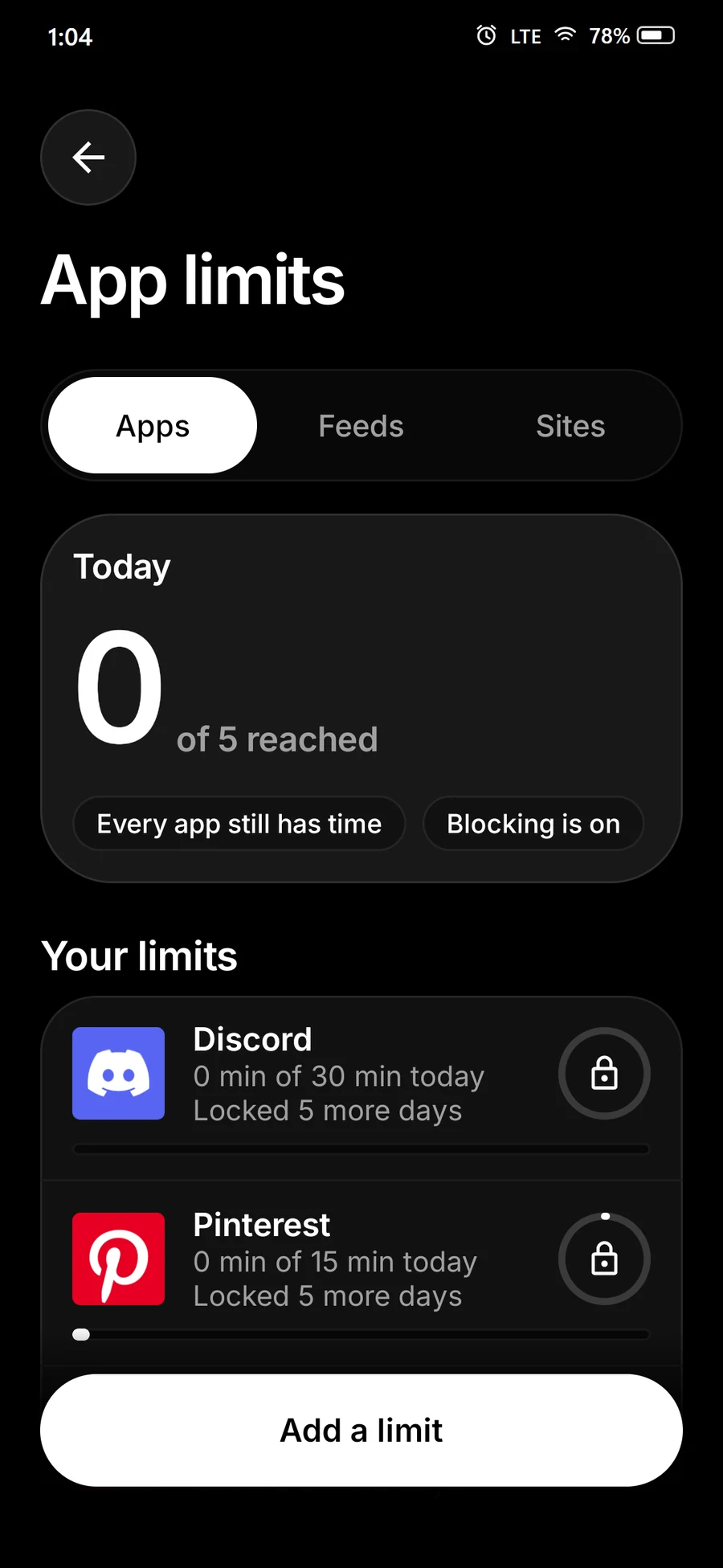
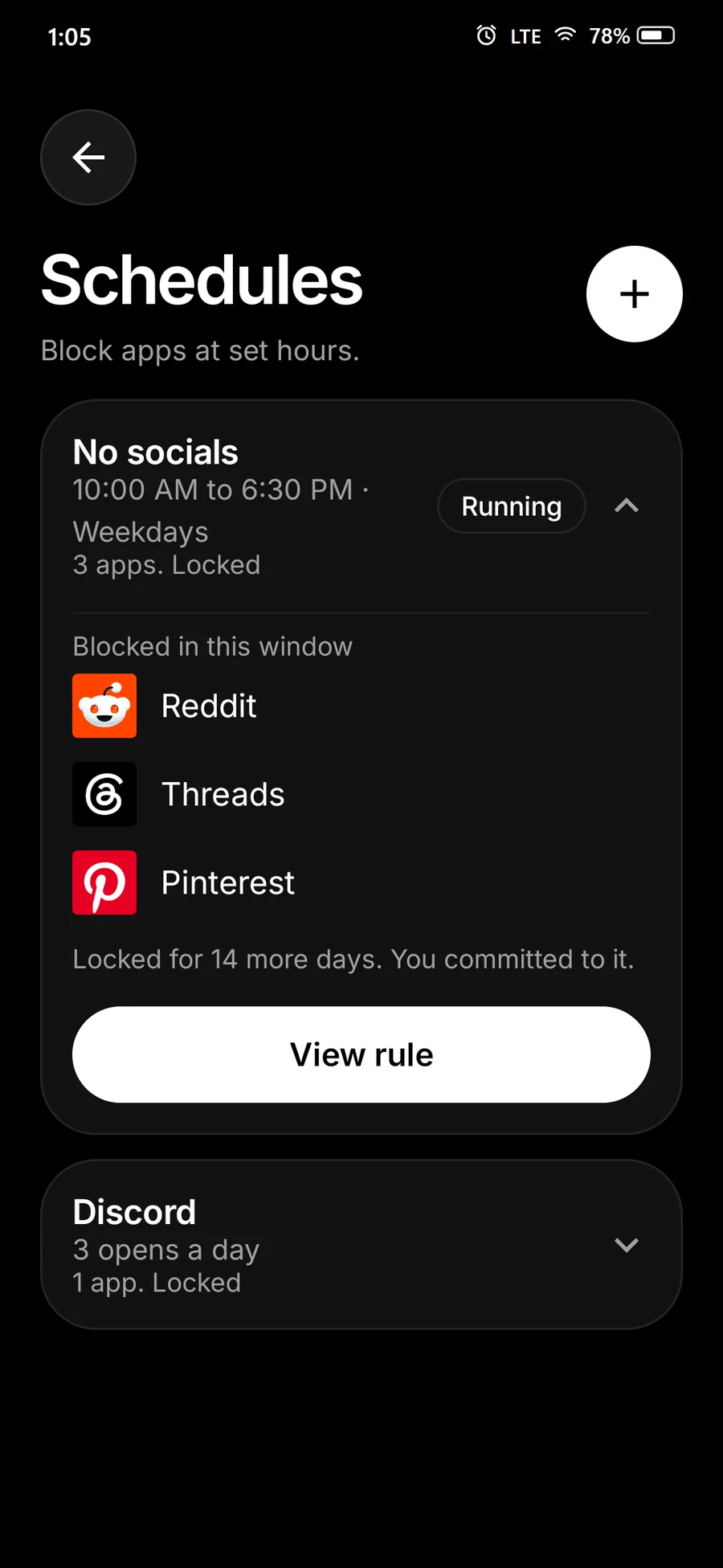
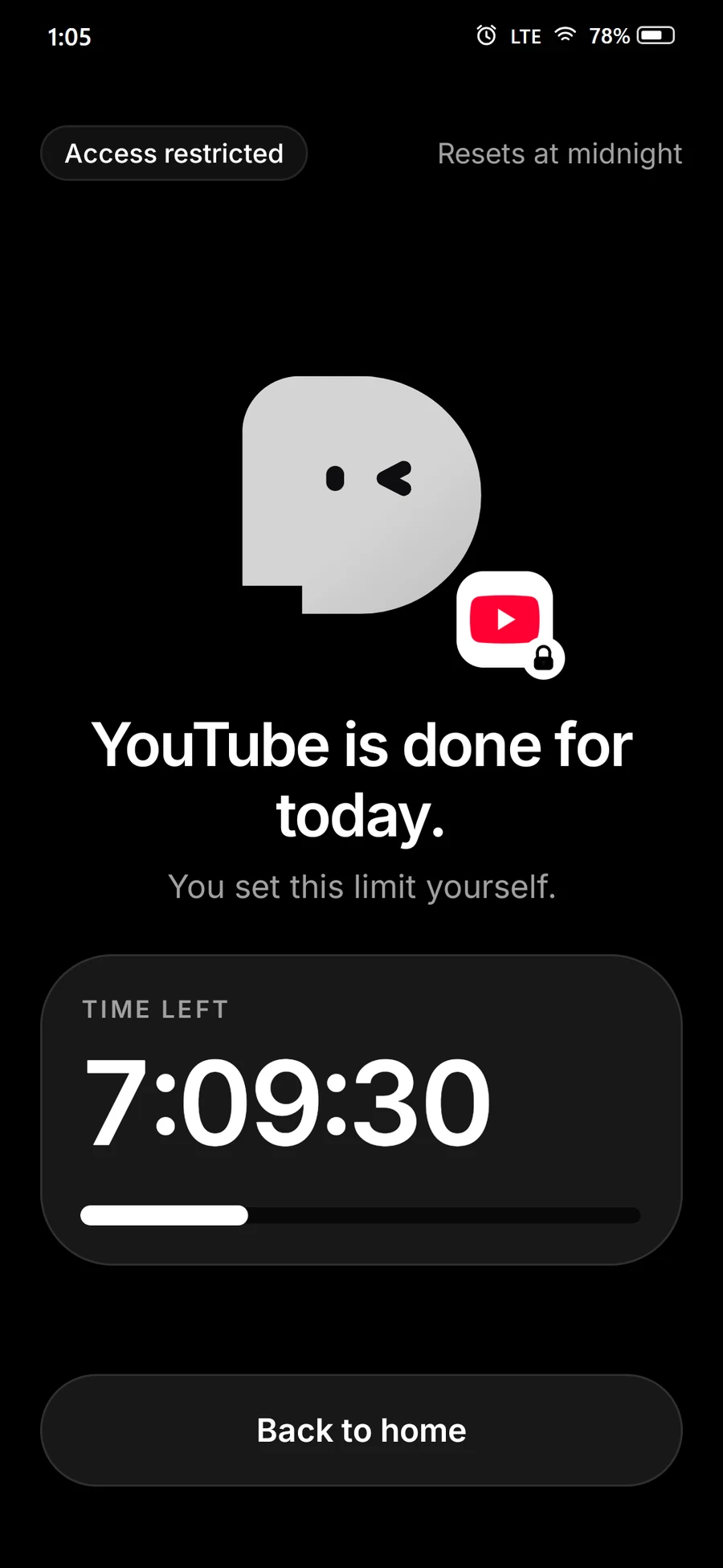
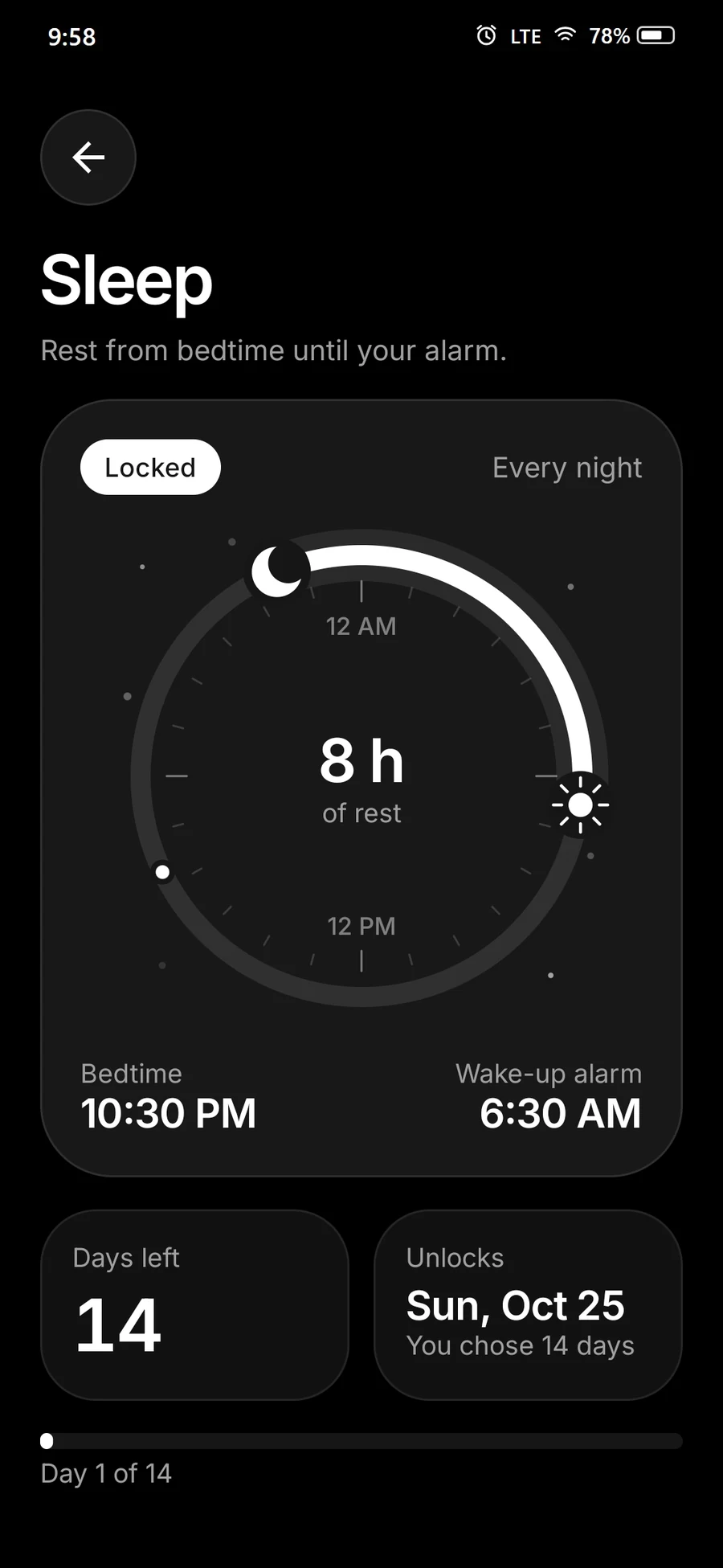
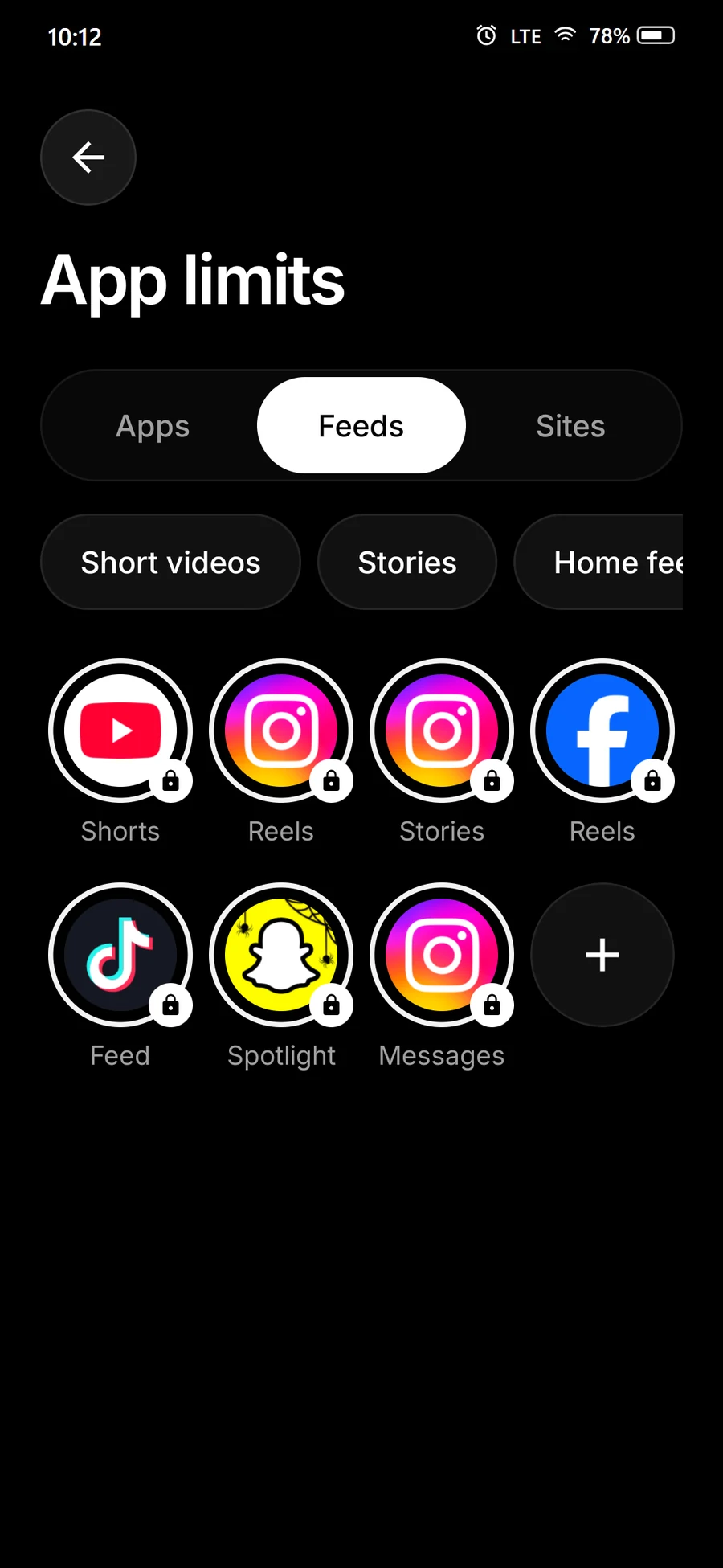
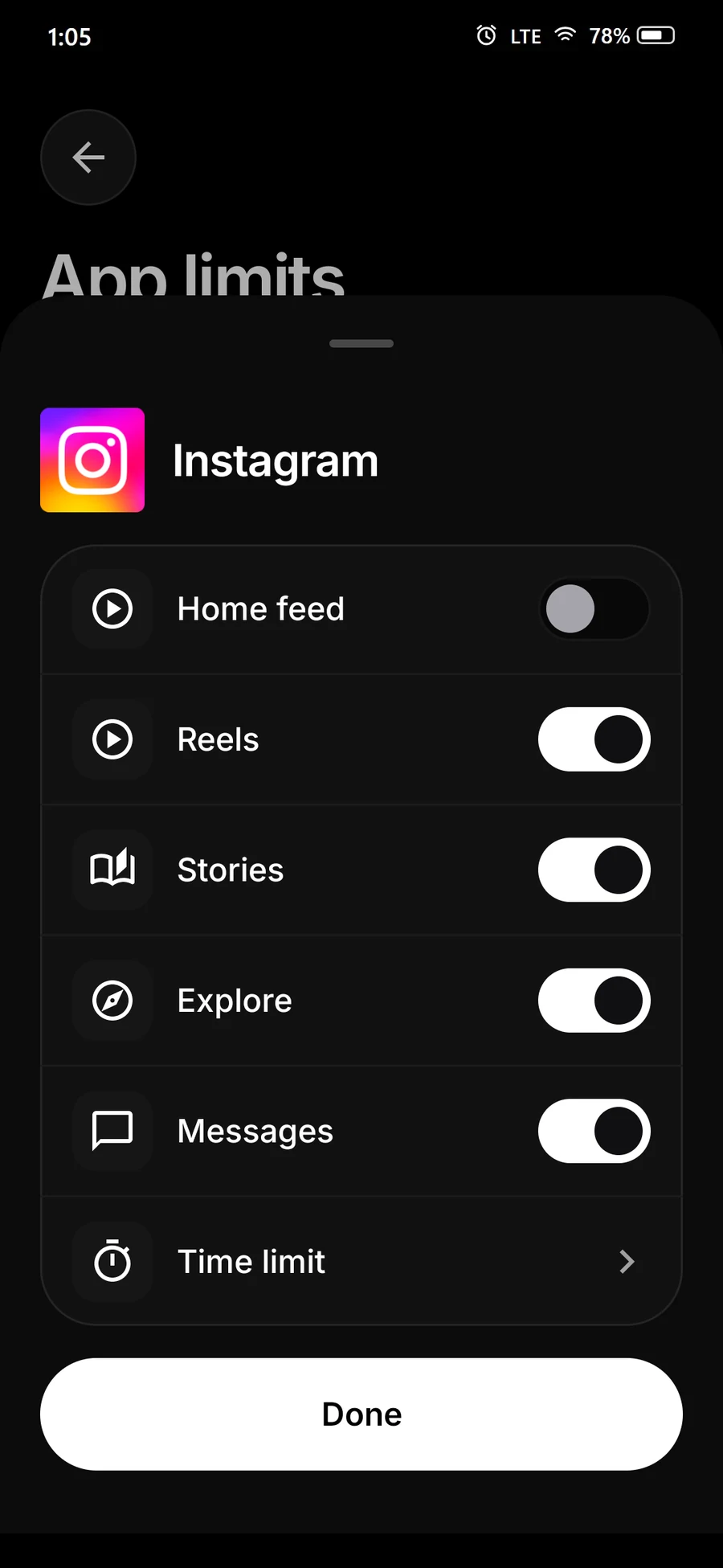
Dheet Today screen with Resolve score and the prompt: Decide what today is forDheet Today screen with the four controls: Schedules, App limits, Wake-up alarm and Sleep, above the morning commitmentWake-up alarm screen with a locked 6:30 AM alarmMorning sink check: show the sink and running water to the cameraApp limits with daily limits for Discord and Pinterest, each locked for 5 more daysSchedules screen: No socials, 10:00 AM to 6:30 PM on weekdays, blocking Reddit, Threads and Pinterest, locked for 14 more daysLock screen: YouTube is done for today, you set this limit yourselfSleep screen: bedtime 10:30 PM, alarm 6:30 AM, locked for 14 daysApp limits Feeds tab: YouTube Shorts, Instagram Reels and Stories, Facebook Reels, TikTok feed, Snapchat Spotlight and Instagram messages, each lockedInstagram settings in Dheet: Reels, Stories, Explore and Messages can each be blocked, Home feed left open, plus a time limit
1Decide what today is for.

Sound familiar? Then Dheet is for you.

“Just one more video.”“I will only check it once.”“I will sleep after this one.”“Where did today go?”“Five more minutes.”“I will start after this.”“Just one more video.”“I will only check it once.”“I will sleep after this one.”“Where did today go?”“Five more minutes.”“I will start after this.”

The cost, in numbers

How many hours a day is your phone in your hand?

5hrs a day

Drag to match your day

31%

of every waking dayBased on 16 waking hours

1,825

hours a yearThat is 46 full work weeks

2.5

months, non-stopEvery single year

76 of 364 dots. Each dot is one day of the year.

10.4 years

Keep this up for 50 years and 10.4 years are gone.

Nobody plans to spend it this way.

Meet Dheet

Your phone finally
answers to you.

Dheet sits between you and the apps that pull you in. Your alarm, your focus and your bedtime, kept for you.

What Dheet does

One app for the three moments your phone wins.

Waking up. Doing the work. Going to sleep. You decide once and Dheet enforces it, even when you would rather not.

1 · Wake up

Get out of bed. Really.

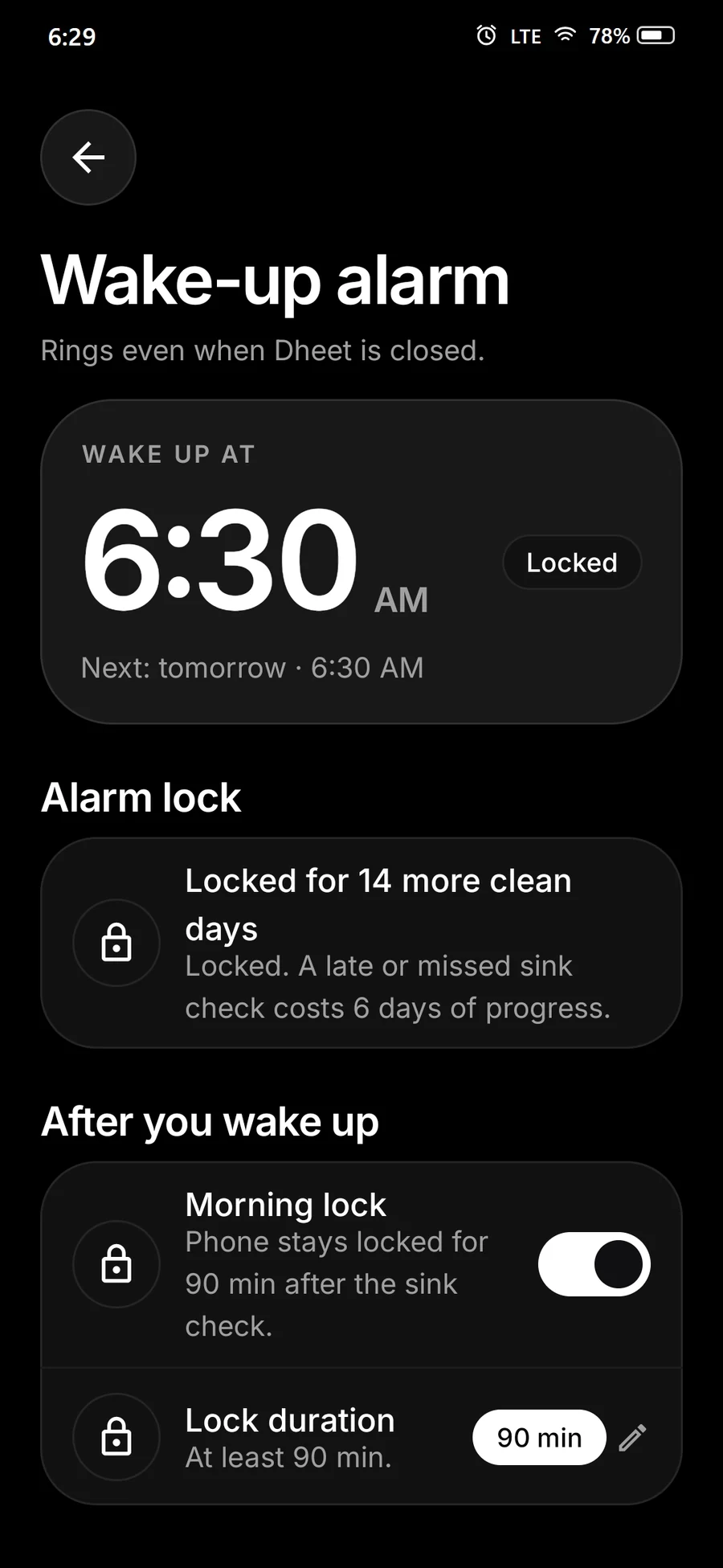
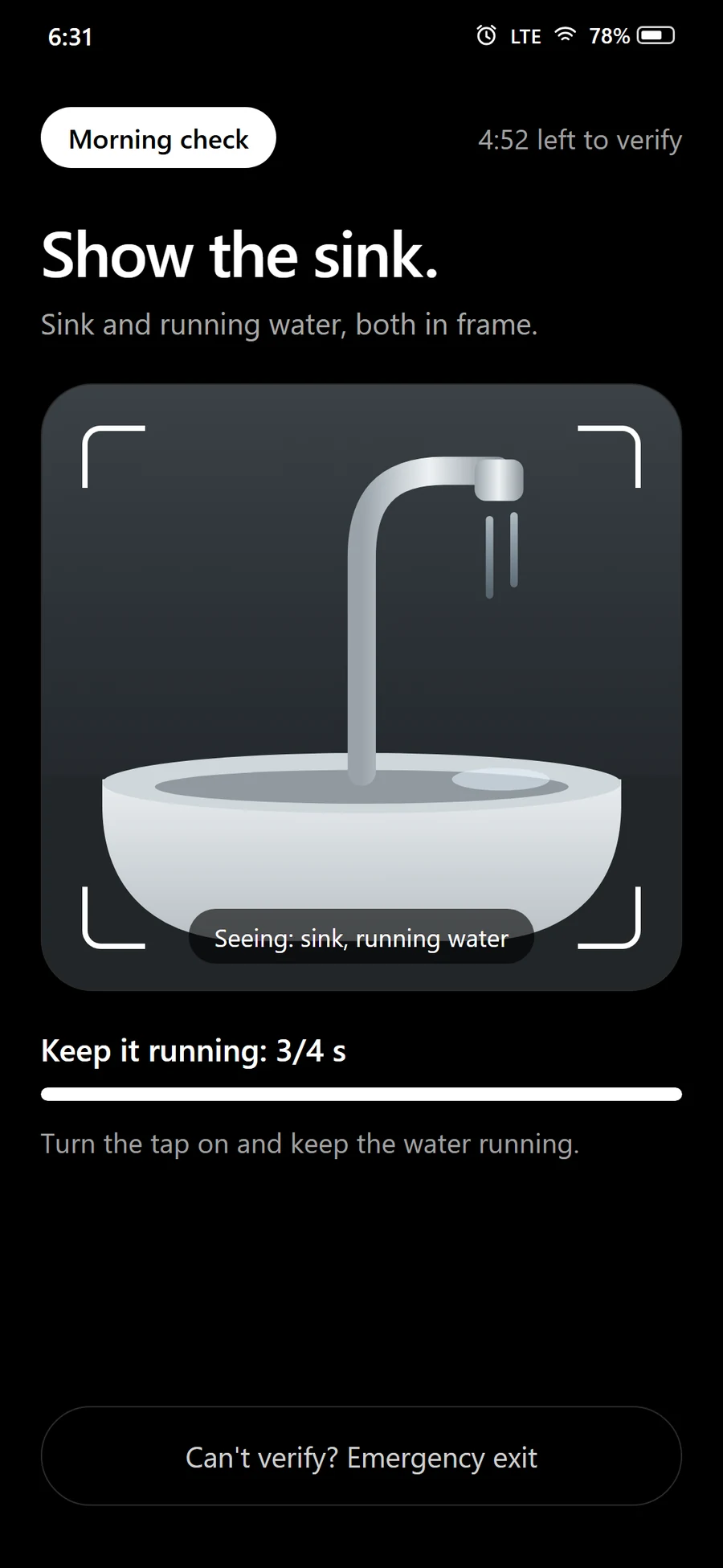
Dheet's alarm rings even when the app is closed. To switch it off you show your sink and running water to the camera, so you are actually up. If you want, the apps you chose stay closed until you are.

  • Rings even when Dheet is closed
  • A camera check at the sink, not a snooze button
  • Locked for as long as you choose, 3 days or more
Wake-up alarm screen with a locked 6:30 AM alarm
Morning sink check: show the sink and running water to the camera
Rings even when closed6:30 AM every day
2 · Focus

Keep your hands off the apps you chose.

Start a focus session and every distracting app locks. Set daily limits, or schedules that close apps during work hours on the days you pick, and when you hit a limit the app stays blocked until midnight. Block only the part that eats your day, like Shorts, Reels or DMs, and keep the rest.

  • Focus sessions, daily limits and a whole-phone cap
  • Schedules that close apps during work hours, or cap how often you open them
  • Block Shorts, Reels, Stories and DMs inside apps, and websites in Chrome and other browsers
Instagram settings in Dheet: Reels, Stories, Explore and Messages can each be blocked, Home feed left open, plus a time limit
Schedules screen: No socials, 10:00 AM to 6:30 PM on weekdays, blocking Reddit, Threads and Pinterest, locked for 14 more days
Keep the appBlock only Reels or DMs
3 · Sleep

Let your phone rest at bedtime.

Every night, from bedtime until your alarm, only calls and the apps you allow work. Everything else waits for the morning.

  • Set your bedtime once, it runs every night
  • Calls and your allowed apps stay open
  • At your alarm, the morning check takes over
Sleep screen: bedtime 10:30 PM, alarm 6:30 AM, locked for 14 days
App limits with daily limits for Discord and Pinterest, each locked for 5 more days
Phone rests10:30 PM to 6:30 AM
4 · See it working

Watch yourself keep your word.

Days kept and your daily Resolve score show how well you kept your promises. Confirm each goal by holding, and watch the days add up.

  • Wake, Focus and Control, scored every day
  • Decide your deep work and real work each morning
  • A nudge when you drift, not a lecture
Dheet Today screen with Resolve score and the prompt: Decide what today is for
Dheet Today screen with the four controls: Schedules, App limits, Wake-up alarm and Sleep, above the morning commitment
Dheet now15 min on Instagram

Still scrolling? Your day is still yours to use.

Built to hold, built to be safe

Built to hold. Safe to live with.

You choose how long it holds.

Locks last at least 3 days, so a tired you can't quietly loosen the rules at midnight.

Calls always work.

Even during sleep and blocks, and the apps you allow stay open. You are never cut off from the people who matter.

Every lock ends on its own.

A real emergency? The emergency exit opens your phone after a 5 minute wait, once a week.

Questions

What is Dheet?

A discipline and focus app for Android. You decide when you wake up, when you work and when you sleep, and Dheet holds you to it with an alarm you can't snooze, a focus mode, a sleep lock, app limits and schedules, plus blocks for Shorts, Reels and DMs. It is launching soon on Google Play.

Is Dheet just an app blocker?

It blocks apps, parts of apps such as Shorts, Reels and DMs, and websites, all day or on a schedule you set, but it also runs your wake-up alarm, your focus sessions and your bedtime. Other apps plan your day or show your screen time. Dheet enforces it.

When does it launch?

Soon. Get early access and we will email you once, the day it is live.

Which phones will it work on?

Android first, from Android 8.0. An iPhone version is planned.

Does Dheet read my screen?

Not unless you turn on Feeds or Sites. Then, only in the apps and browsers you pick and only while a block is on, it checks which tab (such as Shorts or Messages) or which website address is showing. It never reads posts, comments, the text of messages or what you type, and nothing leaves your phone.

Can I get out if I need to?

Yes. Every lock ends on its own, and an emergency exit opens your phone after a 5 minute wait, once a week. Calls always work.

Is Dheet free?

It will launch free. Any paid plan later will be announced first.

What happens to my email?

We only use it to tell you when Dheet launches. Every email has an unsubscribe link.

Get early access.

Be the first one to try when launched.

One email, on launch day. Privacy